

Step 1
Upload Your Picture
Start with a clear, front-facing photo in good lighting. The better your image quality, the more accurate your AI preview will be.
Wondering how you'd look with bangs, a pixie cut, or bold hair color? Picoo AI Hairstyle Changer creates realistic hairstyle previews before you change your look.
Start with a clear, front-facing photo in good lighting. The better your image quality, the more accurate your AI preview will be.
Type a hairstyle prompt in natural language. Be specific about style, length, bangs, and hair color for the best result.
In seconds, get a realistic AI hairstyle preview. Save the result, share it for feedback, or try more ideas until it's perfect.
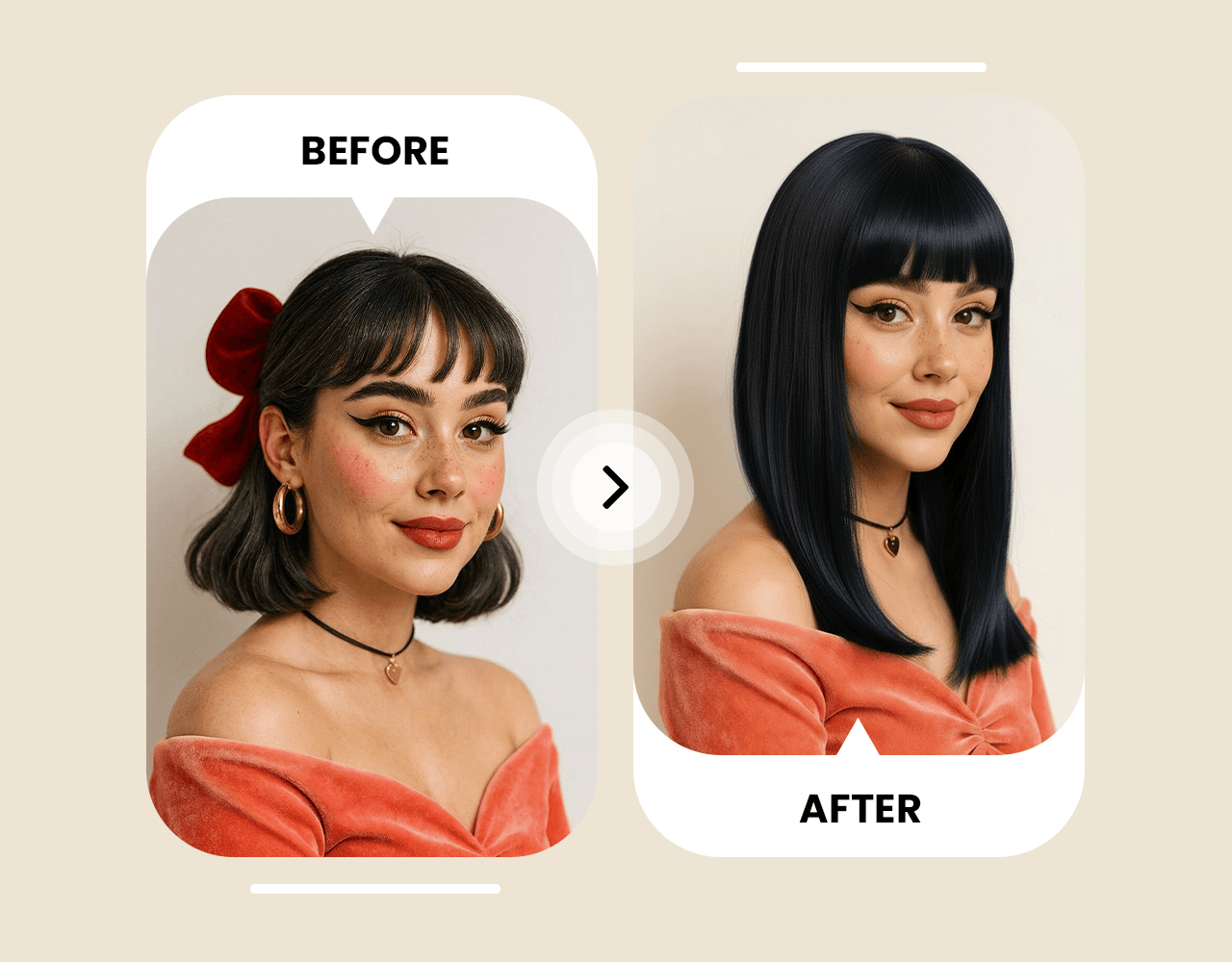
Unlike generic filters, Picoo AI Hairstyle Changer analyzes facial structure, skin tone, and features to generate a hyper-realistic preview that still looks like you. It considers face shape, undertones, and natural hair texture to create flattering styles with realistic proportions.
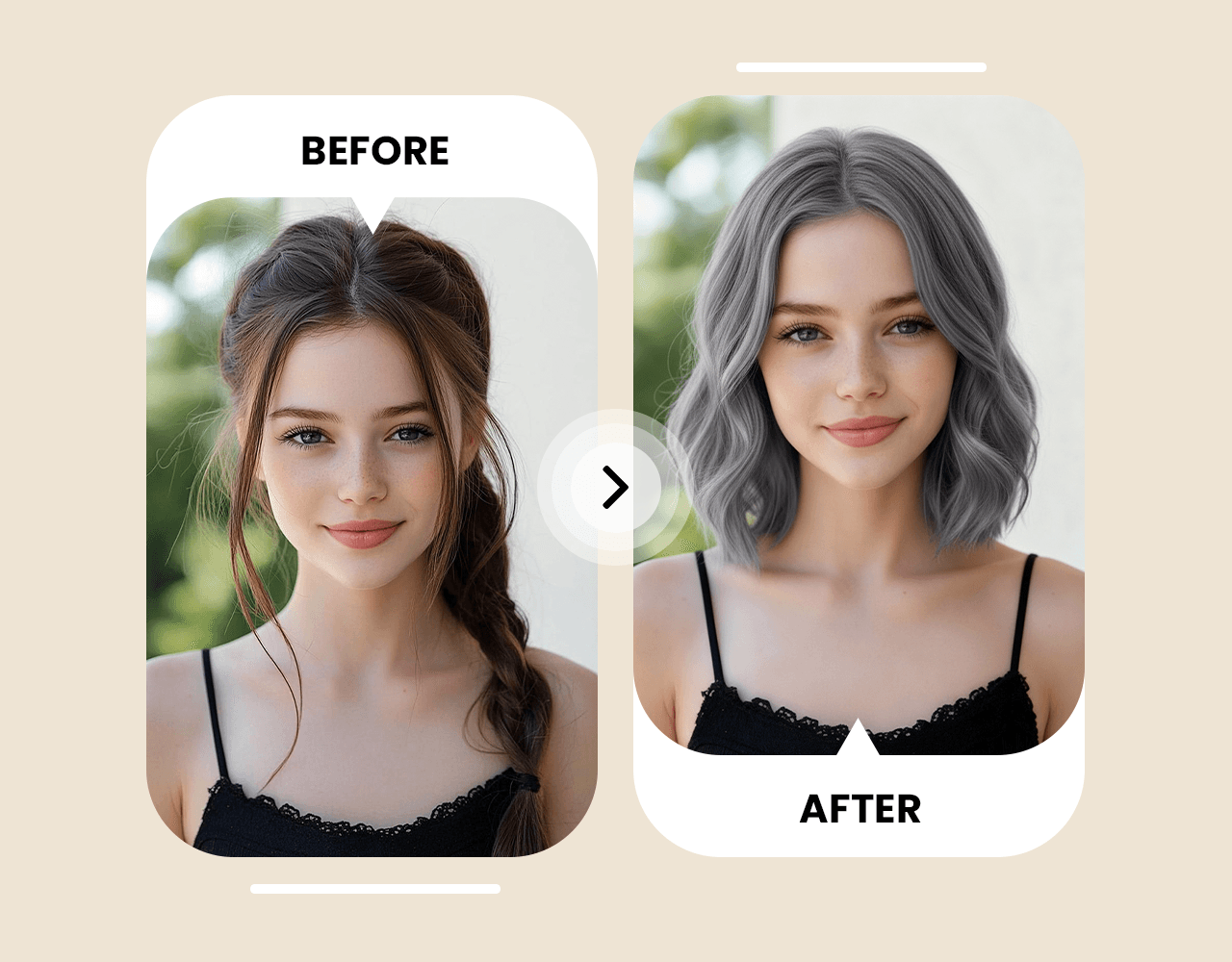
Test hundreds of looks with Picoo AI Hairstyle Changer. From pixie cuts to bobs, shoulder-length styles, long hair, bangs, and men's fades—generate previews and iterate until you find your best match.
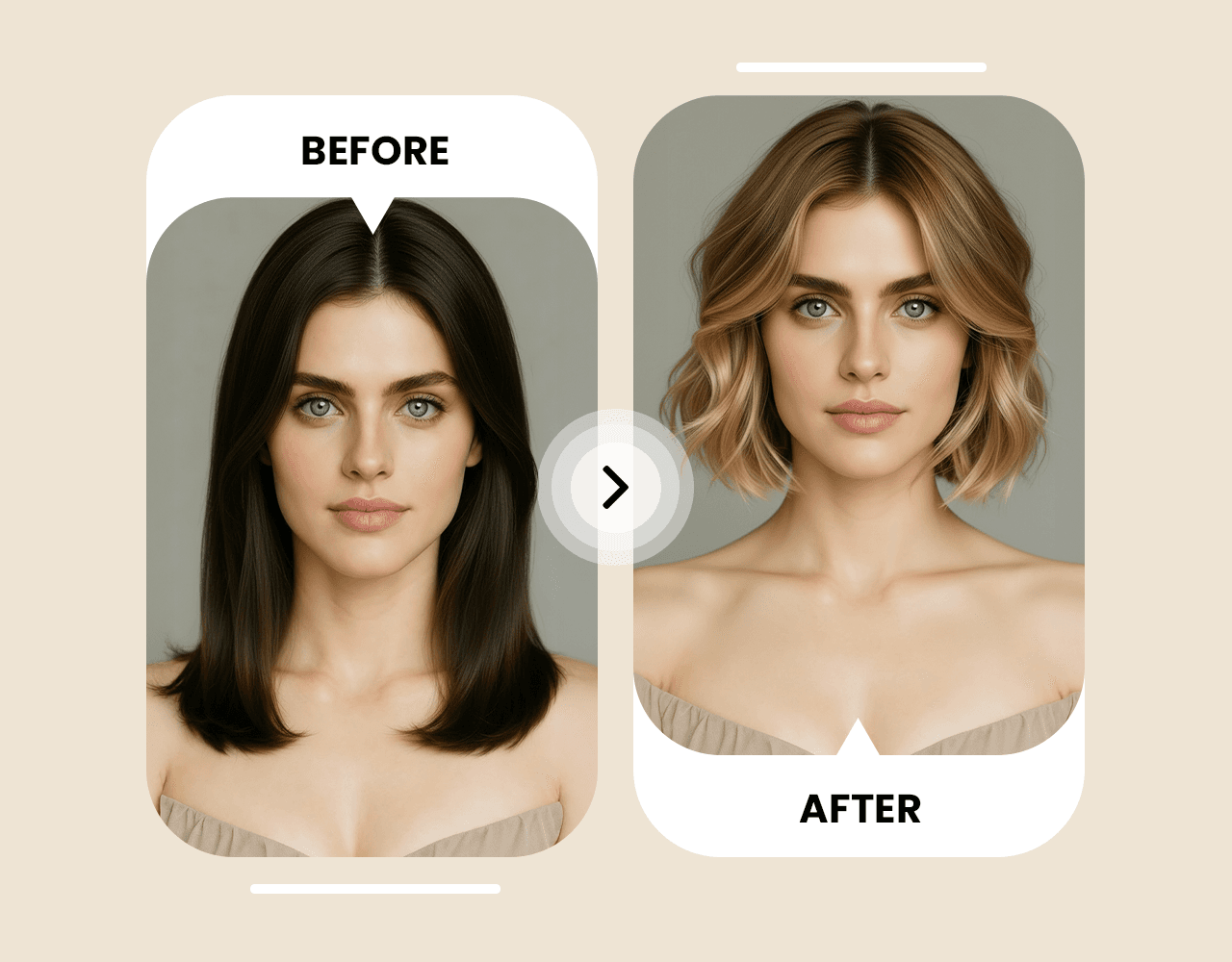
Preview different hair colors with Picoo AI Hairstyle Changer before you dye. Try bold color changes, subtle highlights, or natural tones—then pick the look that fits your hairstyle vibe.
Testimonials
“The previews look surprisingly real. I tested short haircuts for men and low fade haircut men options before committing—saved me a lot of regret.”
“Super fast and fun to iterate. I compared hairstyles for curly hair men and mens medium curly hairstyles, then matched it with medium beard styles in minutes.”
“Perfect for sharing. My friends helped me pick round face hairstyles men and short hair hairstyles for men that actually suit my face shape.”
“I was nervous about changing length. Seeing a long hair cut style preview first made the salon decision so easy.”
Curated community examples that show prompt structure and key parameters for realistic hairstyle previews.
Change my hairstyle to short haircuts for men with a clean low fade haircut men finish. Keep it natural, realistic texture, and maintain my facial features.
Give me shoulder length layered hair with soft waves. Add warm brown color with light highlights and a natural finish (long hair cutting style for female).
Try hairstyles for curly hair men: mens medium curly hairstyles with defined curls, volume on top, and tapered sides. Keep it photoreal with soft lighting.
Haircuts for girls with long hair inspired by ms dhoni hairstyle: long, sleek long hair cut style with a middle part, subtle caramel highlights, photoreal finish.
You can try it for free. Some advanced generations and downloads may require credits depending on your plan.
Use a clear, front-facing image with good lighting and minimal blur. Avoid heavy filters for the most realistic preview.
Yes. Describe the color in your prompt (e.g., ash brown, platinum blonde, vivid red) and the AI will preview it before you dye.
Most previews are ready in seconds, depending on image size and current server load.
The model is designed to preserve your facial structure and overall likeness while applying style and color changes.
Yes—download your favorite results and share them with friends to get feedback or bring them to your stylist.
Use barbering terms for clarity: fade (high/mid/low), taper, undercut, buzz/crew cut, quiff, pompadour, textured crop, slick back. Include lengths for top/sides/back (e.g., top 6–8cm, sides 3mm, tapered back) and mention parting, line-up, and texture for more accurate previews.
Describe it as “length + layers + bangs + texture + color.” Specify length (bob/lob/shoulder-length/long), layering and face-framing, bang style (curtain/side-swept/airy), texture (straight/waves/curls) and volume, plus color details (dye, highlights, balayage). Add the part (middle/side) and finishing style to get a more precise preview.